


How to Generate PDFs Automatically with Google Docs and Zapier
Learn how to generate PDFs automatically with Google Docs and Zapier, where this setup works best, where it gets messy, and when APITemplate is a better fit.

Learn how to generate PDFs automatically with Google Docs and Zapier, where this setup works best, where it gets messy, and when APITemplate is a better fit.

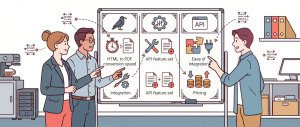
PDFcrowd, PDFShift, and APITemplate.io all help developers convert HTML to PDF, but they are built for different workflows. This comparison breaks down their features, pricing, performance, integrations, and limitations to help you choose the right HTML to PDF API for your project.

Automating PDF generation in Make.com with APITemplate helps you remove manual document work and deliver consistent PDFs every time. In this tutorial, you will build a simple Make.com PDF workflow that takes data, sends it to APITemplate to generate PDF documents.

Automate PDF generation with n8n and APITemplate.io by connecting your workflow to a reusable PDF template. This guide walks you through sending data from n8n to APITemplate.io and generating polished PDF documents automatically for invoices, reports, certificates, and more.

In this article, we review 5 leading PDF generation APIs and highlight the key factors to consider when choosing one, such as templates, styling, performance, and compliance, to help developers and businesses automate PDF document creation effectively.

Most real-world applications face the need to generate PDFs from various content sources. This task often involves creating PDFs from custom HTML or directly from website URLs.
In this article, we will look into some approaches that we can take to generate PDFs from HTML using C#.

In this article, we will explore some approaches for generating PDFs from HTML using PHP, including libraries such as TCPDF, Dompdf, and mPDF.
We will also discuss using APITemplate.io, an API-based PDF generation platform, which provides an easy way to generate and manage PDFs using templates.

This article explores several popular methods to generate PDFs with JavaScript, focusing on three key approaches: using the html2pdf library, the jsPDF library, the pdfmake library, and the built-in window.print() method.
We will discuss the pros and cons of each approach and provide working code snippets to help you generate your desired PDF document.

The most important part of generating PDFs is the input data. The most common and useful approach is to generate PDFs from HTML content or based on a website URL.
In this article, we will look into some approaches that we can take to generate PDFs from HTML

Most real-world applications encounter the requirement of generating PDFs based on some content. This includes generating PDFs from custom HTML content or even generating PDFs directly from a website URL.
In this article, we will look into some approaches that we can take to generate PDFs from HTML using Node.js.